
How to edit your company profile
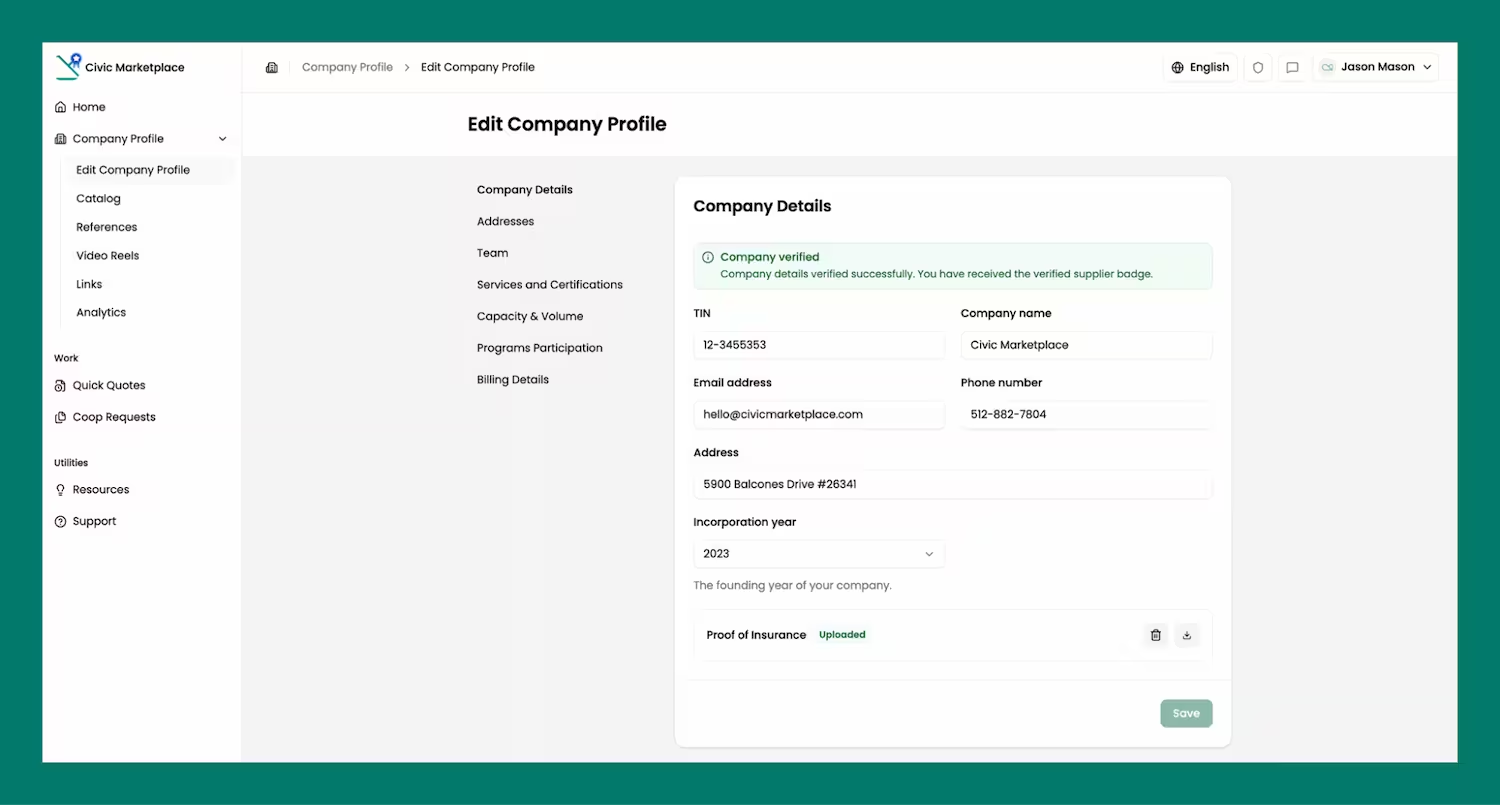
This page has editable form fields showing all your company information that you can update and save.
Company Details
Details required include company - TIN Number, Company Name, Email Address, Phone Number, Address, Incorporation year & Proof of Insurance
Addresses
Use this section to capture all supplier locations, which will be visible on their storefront profile
.avif)
Team
This section allows suppliers to manage invites to the platform of fellow team members as well as view all company colleagues with access to your company’s Civic Marketplace storefront.
.avif)
Services and Certifications:
- Services - Select and add service industries that describe your product offerings to help agencies find you.
- Certifications - Select and add relevant certifications to your supplier profile.
.avif)
Capacity & Volume
Use this section to indicate service capacity by selecting relevant NIGP categories. For each selection, suppliers can specify quantity ranges, unit of measure, and lead time.
.avif)
Program Participation:
Here you are requested to provide your desired participation parameters on marketplace opportunities.
- Participating in a TXShare bid process - Selecting 'Yes' will allow you to be considered for future TXShare cooperative bids.
- Pricing Thresholds for your product offerings - The threshold you select will determine whether your products qualify for direct RFQs in the marketplace.
- Preference for direct RFQ/Quick Quote opportunities - Confirm if you would like your qualifying product offerings to be featured in the marketplace.
.avif)
Billing Details
This information will be included in the invoices sent to you. Details required include - Billing email address and Billing Address.
.avif)